How to Export Your Book Catalog to CSV
Learn how to easily export your library's book catalog as a CSV file using the Export Books feature.
Everything you need to organize, lend, and find books — built for churches, schools and homeschool families.
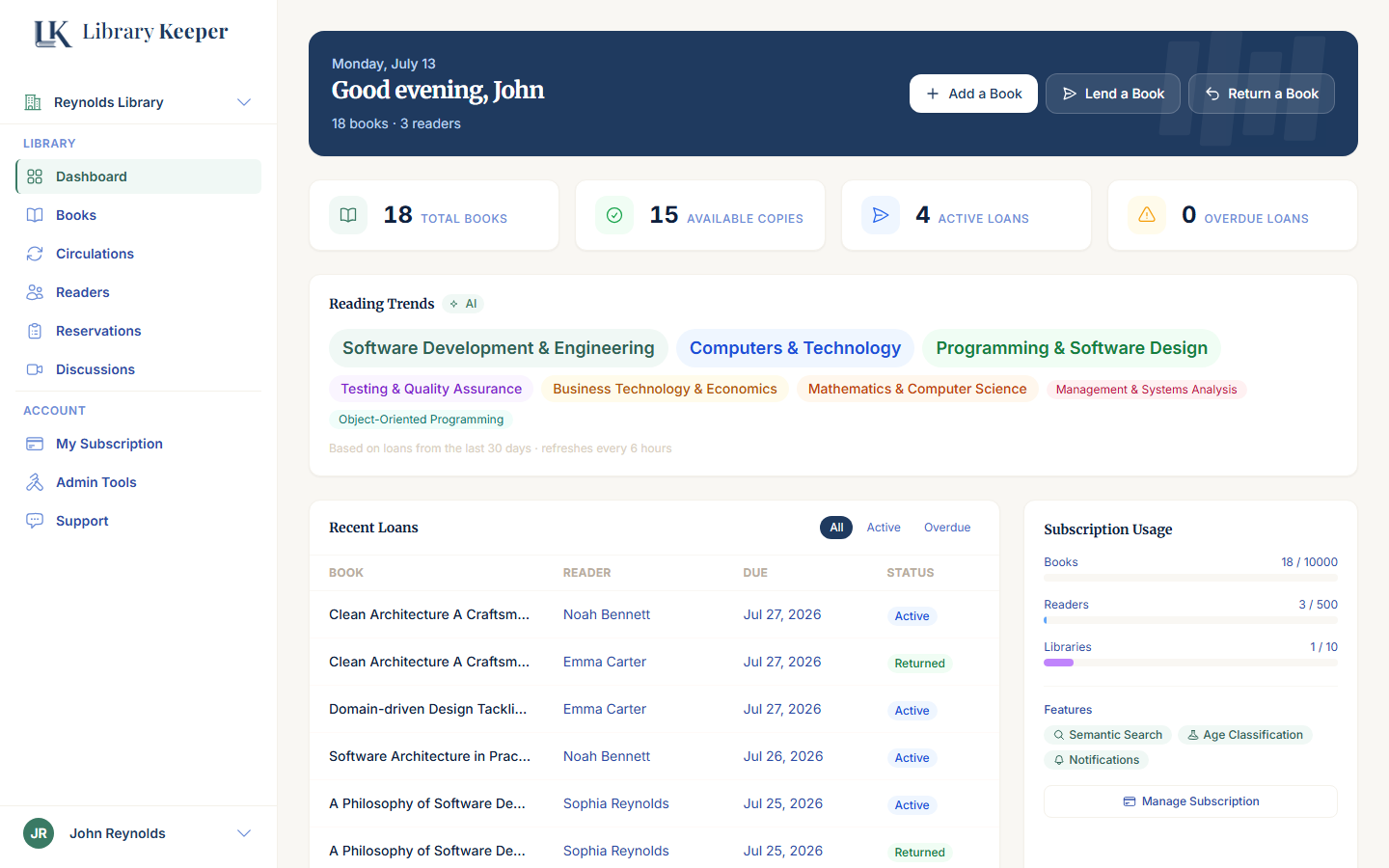

From a single home shelf to a full congregation library — here's who's already switched off the spreadsheet.
23+
libraries organized
1,060+
books catalogued
33+
loans tracked
"We used to keep our church library in a shared spreadsheet nobody trusted. Now every book has a home and every loan is tracked automatically."
Church Librarian
Volunteer-run congregation library
"Every kid in our co-op has their own borrowing history now. Scanning a book in takes seconds instead of typing out a card by hand."
Homeschool Parent
Homeschool co-op organizer
"Our classroom library used to be a shoebox of index cards. Now students find books themselves and I actually know what's checked out."
School Librarian
K-8 classroom library
LibraryKeeper works the same way underneath — but every kind of library uses it a little differently.
You've built a real collection — catalog it properly and know exactly who borrowed what, without a spreadsheet.
One shared shelf, every kid's own borrowing history, and covers you don't have to photograph yourself.
Everything a paid library system does — cataloging, lending, holds — without the enterprise price tag or training.
Scan an ISBN barcode or search by title — covers, authors and details fill in automatically.
Add the people who'll be borrowing — family, students or members — each with their own profile and history.
Check out, check in, and readers are automatically notified by email as their due date approaches.
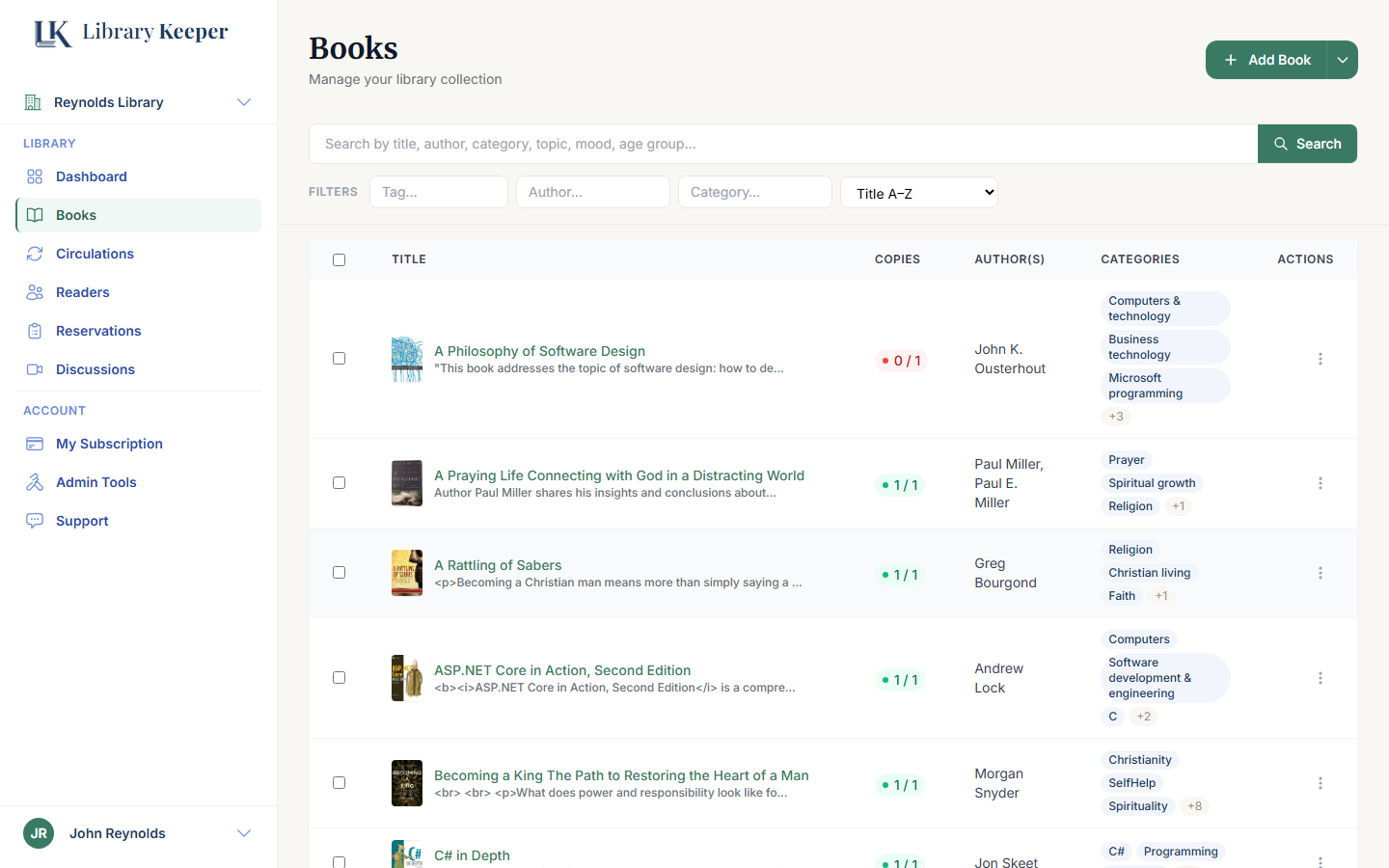
Scan a barcode or search a title, and the cover, author and category fill in for you. No more typing out a card catalog by hand.
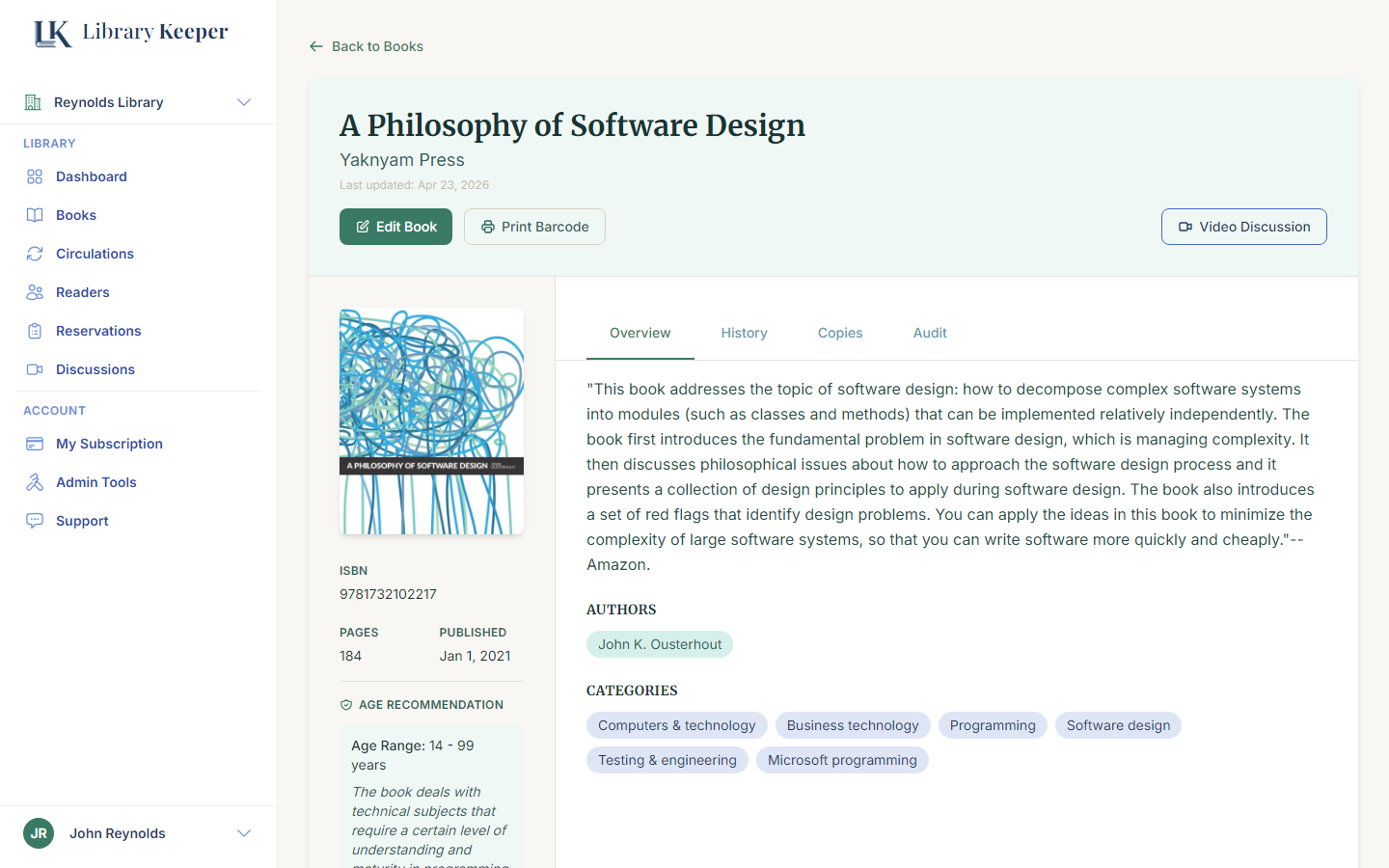
Cover, ISBN, categories and age recommendation are all filled in for you — and stay one tap away whenever you need them.
Every checkout is logged automatically — who has it, when it's due, and whether it's overdue — so nothing quietly disappears off the shelf.
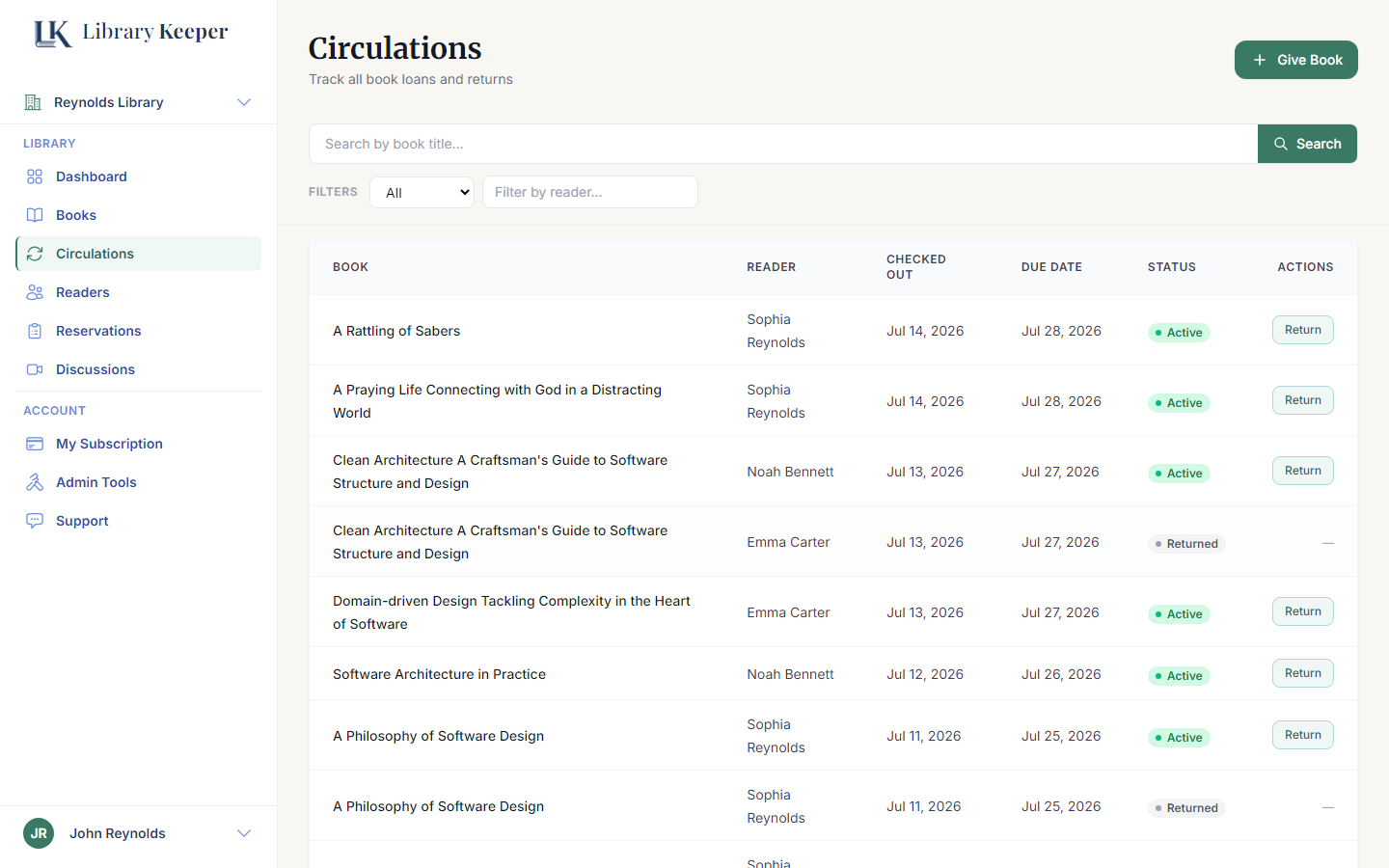
Whether it's just you, a family, a friend, or a whole congregation borrowing — the flow that fits.
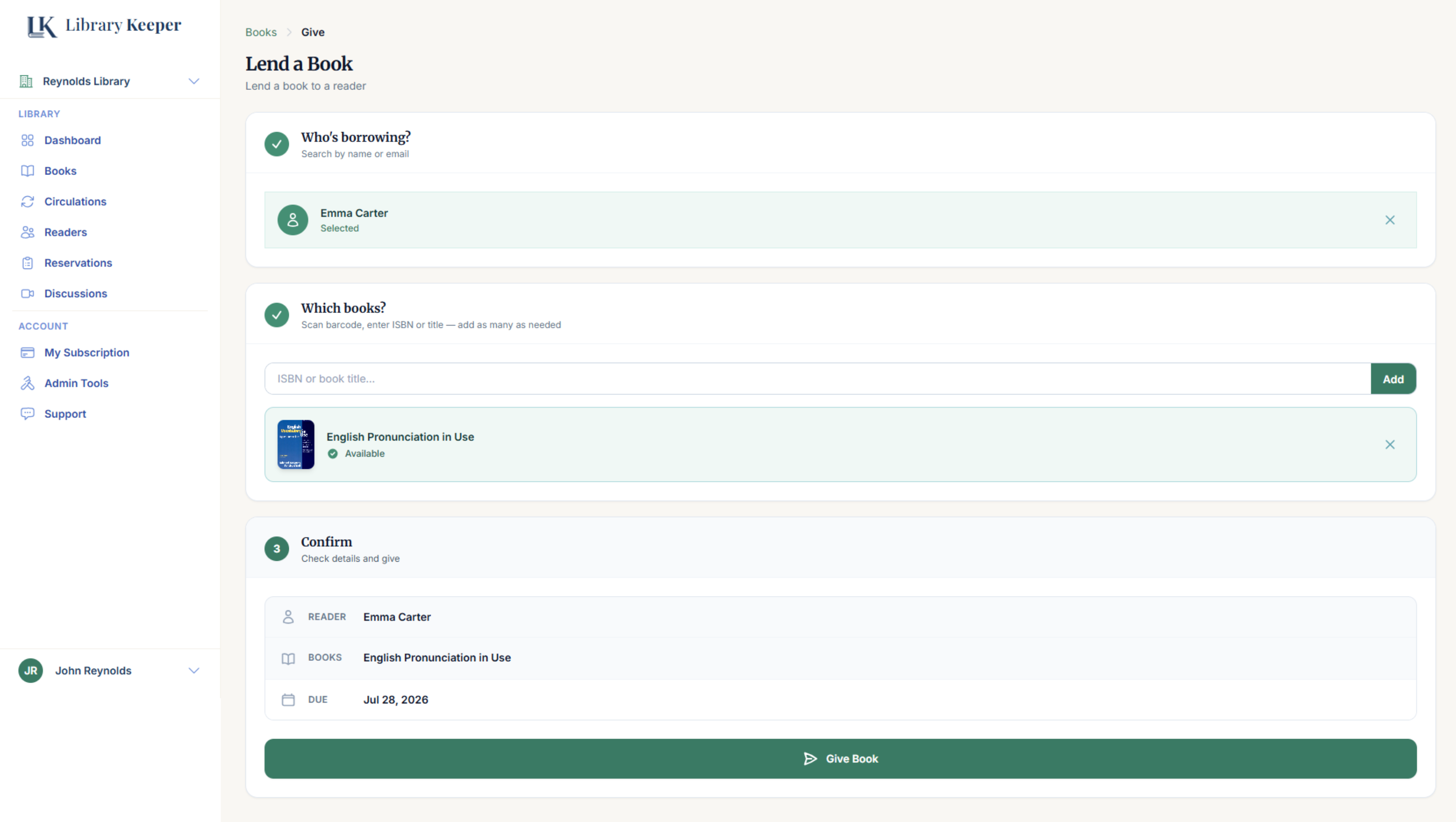
Sometimes you just want to hand a book to someone and get on with your day — no account, no app, no kiosk for them to figure out. Search the reader, add the book, confirm — you do the whole checkout yourself in seconds.
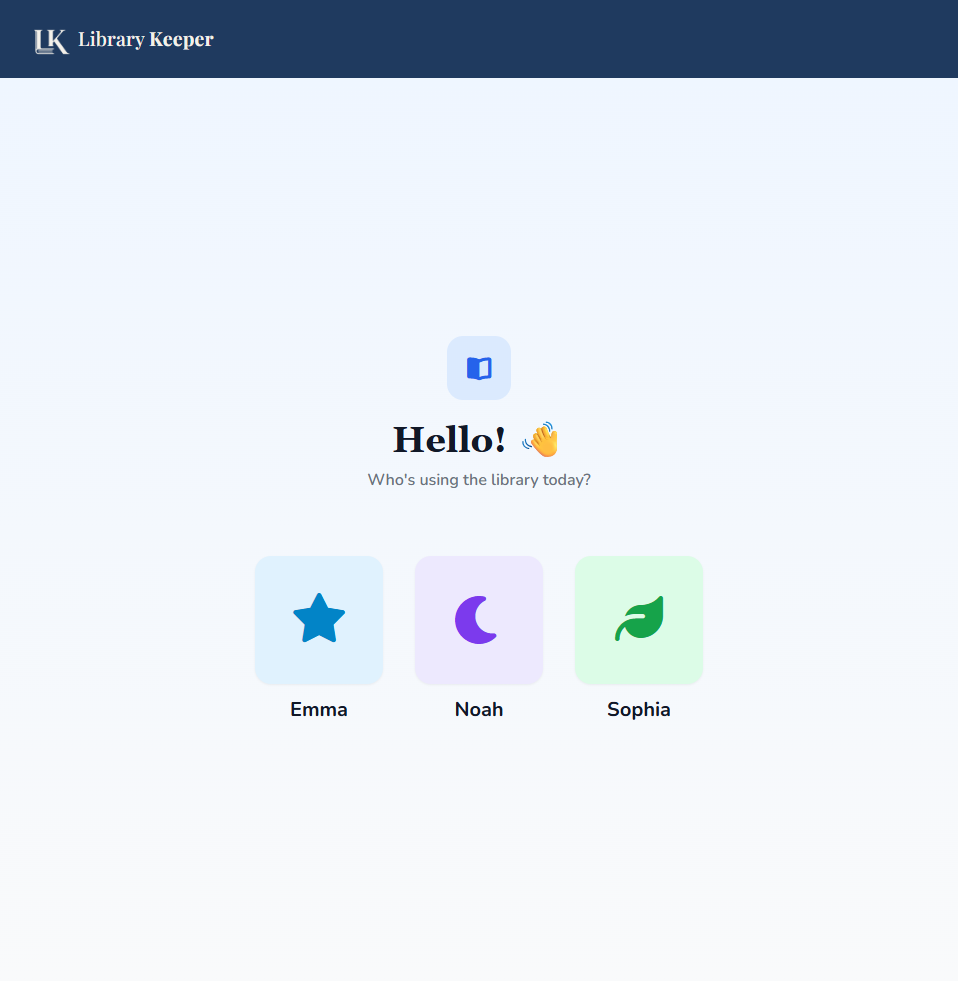
Set up a shared kiosk for the whole family, classroom or co-op. Everyone picks their own name and borrows on their own profile, all against one shared catalog.
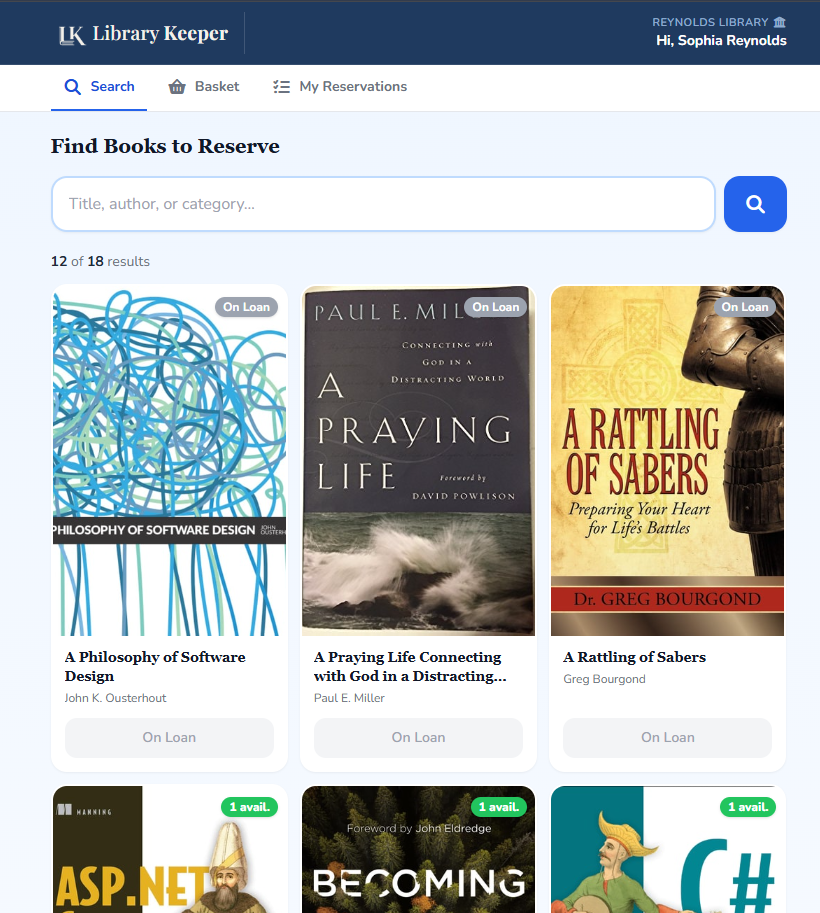
Share access to your catalog and let friends search what you own, see what's already out on loan, and reserve a book ahead of time — so it's ready when they stop by.
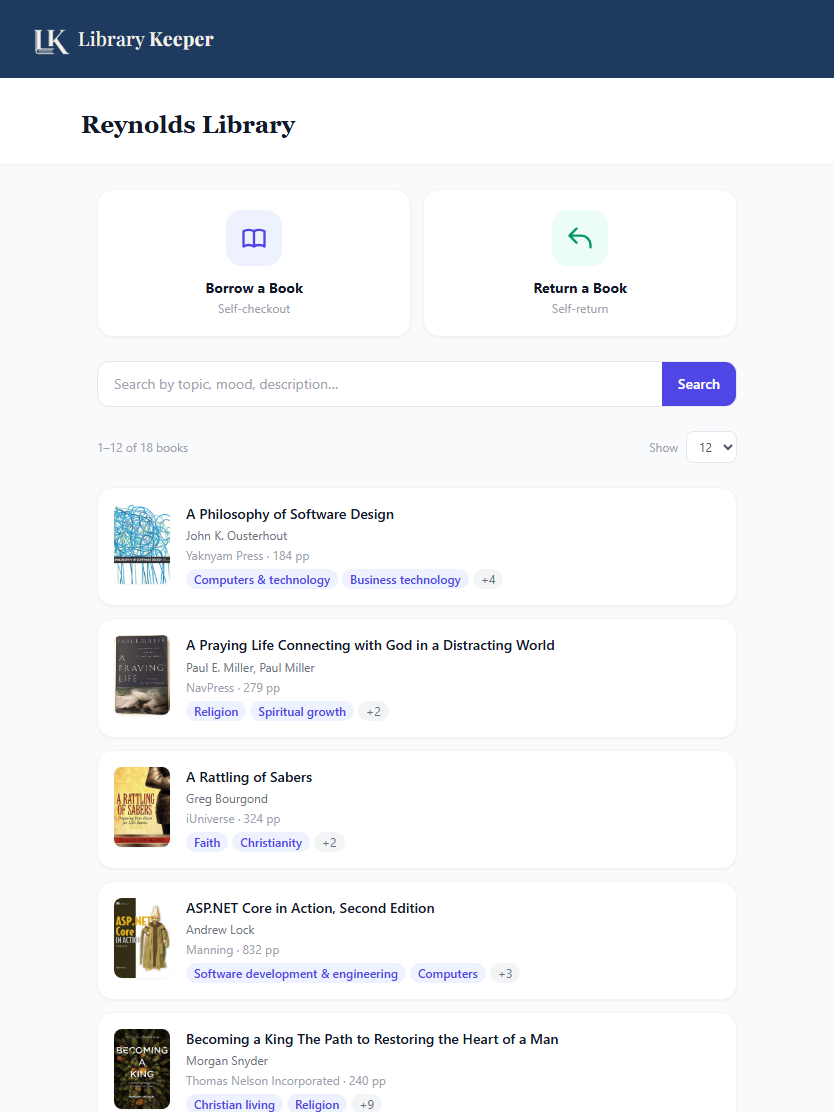
Put a kiosk by the church library shelves and let members borrow and return books themselves between services — no volunteer needs to staff the desk.
Two things every plan gets automatically — no setup, no extra tagging. More AI-powered tools like recommendations and reading insights are on the way.
Semantic search reads meaning, not just keywords. Readers can search by topic, mood or vague description and still find the right book.
"a gentle bedtime story about being brave" → finds it, even with zero matching words in the title.
Every book is automatically age-classified by AI as it's added — no manual tagging. Parents and volunteers can see at a glance what's right for younger readers before it ever reaches their hands.
Especially valuable for classrooms, homeschool co-ops and church libraries serving kids across a wide age range.
A spreadsheet can list your books. It can't tell you who has them.
| Spreadsheet | LibraryKeeper |
|---|---|
| Type in every title and author by hand | Scan an ISBN — title, author and cover fill in |
| Ctrl+F and hope you spelled it right | Instant search, even by topic or mood |
| No record of who has what | Built-in checkout, returns and due dates |
| You remember to chase overdue books | Automatic due-date reminders by email |
| A separate file per room or campus | Multiple libraries under one account |
| No idea what's age-appropriate | Every book auto-classified by age, no tagging |
| Someone has to staff the desk | Self-service kiosk or check-out by phone |
Scan an ISBN and the title, author and cover fill in automatically.
Semantic search finds the right book even when you've forgotten the title.
Run one account across every room, campus, co-op or shelf.
Check books in and out in seconds, from any device.
Let readers hold a book online before they ever walk in.
Tag exactly where a book lives, down to the shelf.
Automatic email nudges before a book goes overdue.
A clean, responsive experience on any screen size.
Install it like an app — no App Store, no forced updates.
Bulk-import a spreadsheet or scan books one at a time. Minutes, not days.
Start free. Upgrade only when your collection, your readers, or your libraries outgrow the plan.
Organize and grow your library
Run a full library system
Guides, tips and library resources
Learn how to easily export your library's book catalog as a CSV file using the Export Books feature.
Spend more time helping people discover them. Get started today — no credit card required.
Start Free Today